

Monitor
See which of your products AI recommends, and who it names instead
Every week AEOsome asks ChatGPT and Google AI Mode the questions your shoppers ask, then shows each answer by product: named, left out, or replaced by a rival.
A shopper asked AI: “best shoes right now”
Free scan, no account. Or start free

Answers checked in
- ChatGPT
- Google AI Mode
The moment
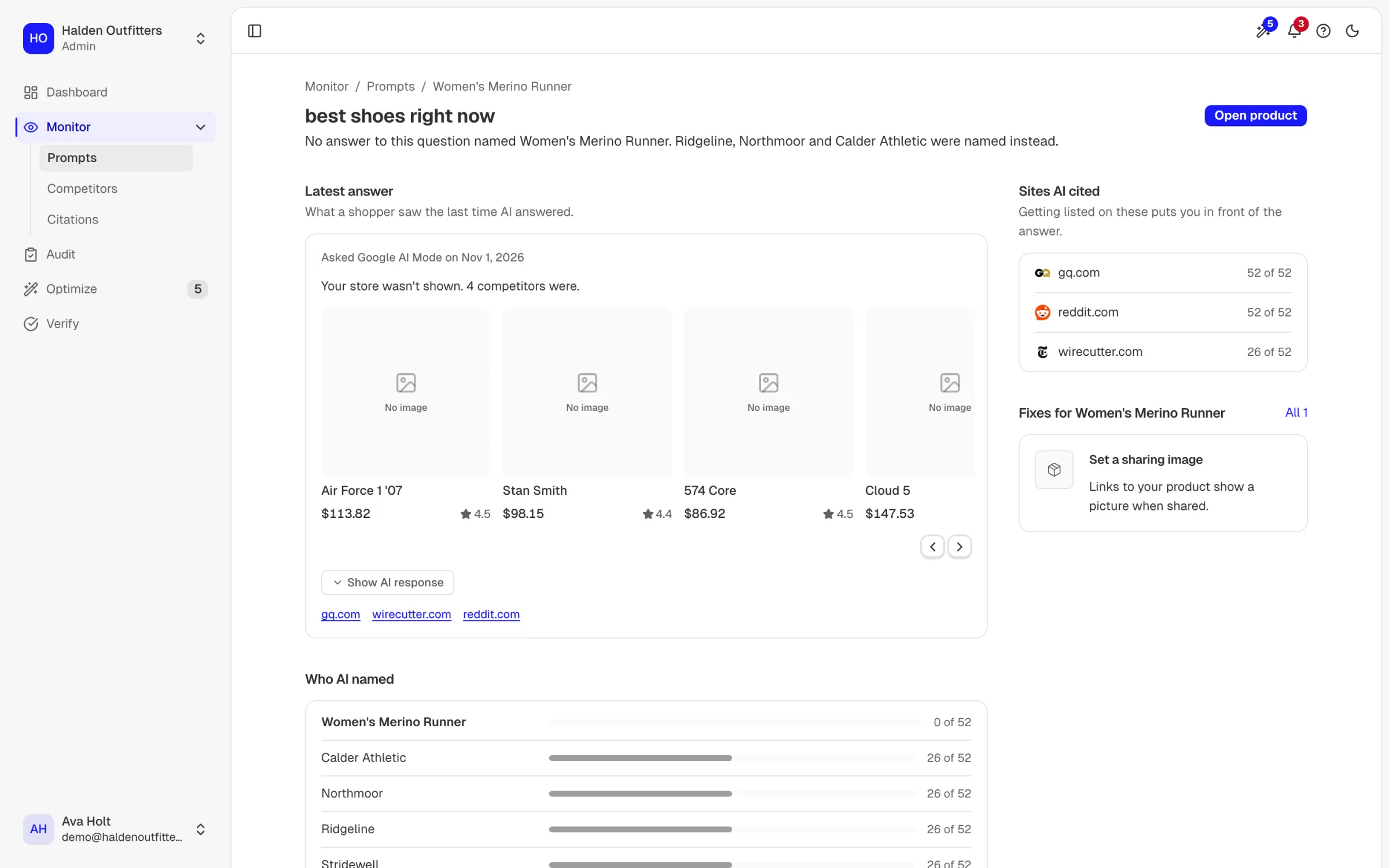
A shopper asks Google AI Mode "best shoes right now". The answer names Northmoor, Ridgeline and Stridewell. Women's Fell Runner Go is a product Halden Outfitters sells, and it is not in the answer. The shopper never sees the product page, so nothing in your analytics records the sale you lost.
Real answers for Halden Outfitters, an example store we run so you can see real output.
Why this matters
Shoppers are moving their questions from search boxes to AI assistants, and an assistant names a few stores, not ten blue links.
+693.4%
Traffic to retail sites from generative AI tools rose 693.4% year over year, 1 Nov to 31 Dec 2025.
Adobe, 2026-01-07
3x
Orders from AI searches on Shopify stores tripled year over year in Q2 2026.
Shopify Q2 2026 earnings call, as reported by Retail TouchPoints, 2026-08-05
Adobe's own caveat: AI is still a small share of retail traffic. It is the fastest growing one, and the answers that name you now tend to be the ones that keep naming you.
What you see in Monitor.
Each one on a real screen from the example store.
Which brands does AI name instead of you?
For every question we record which brands the answer named and how often, out of every answer so far. Your product sits next to the rivals it lost to, so you can tell a product that is losing a close race from one that is not in the race at all. A product named in no answer is the first place to look: the shopper asked for exactly what you sell, and other stores got the mention.
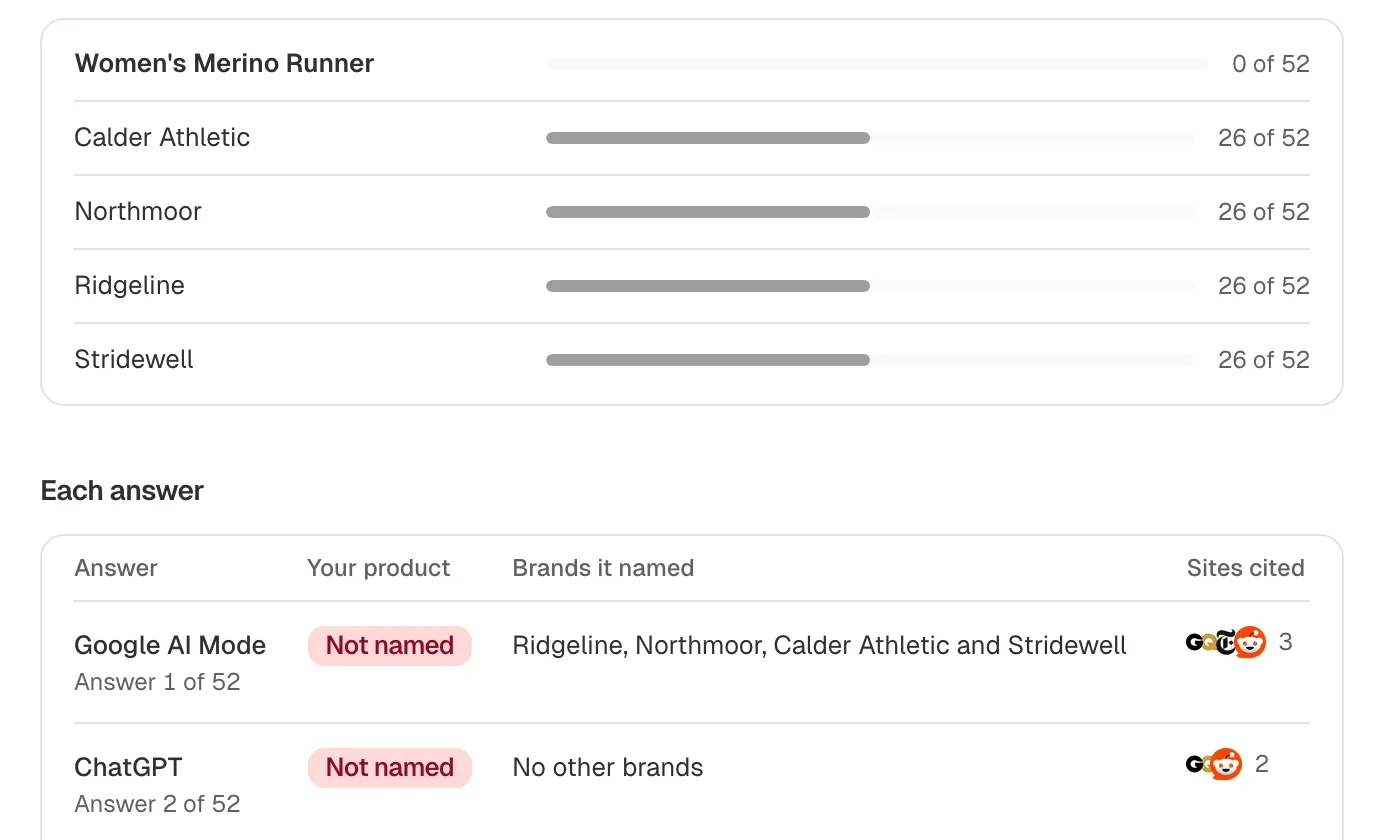
Look at: your row, then the brands above it. Each count is out of every answer so far. Which sites does AI quote?
Answers lean on a short list of reviews, forums and buying guides. We list the sites each answer quoted and how many answers quoted each. When the same two or three sites appear again and again, getting your product reviewed or listed there is how you get into the answer itself.
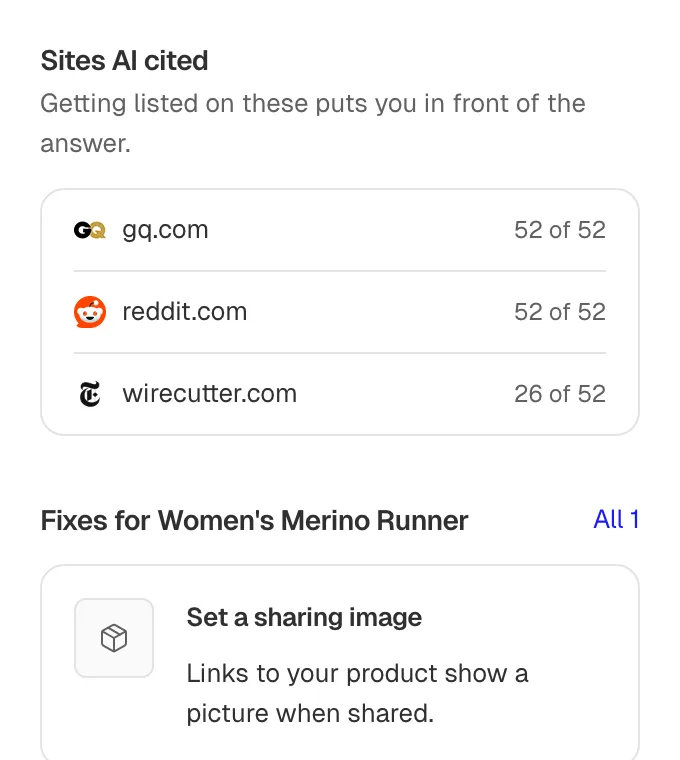
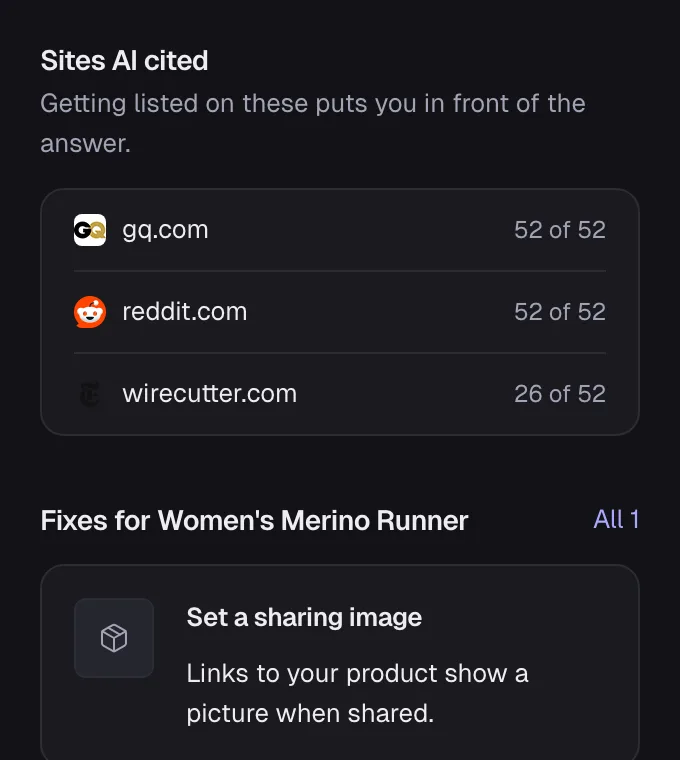
Look at: the sites AI quoted. Those are the places to get listed. Which answers left you out?
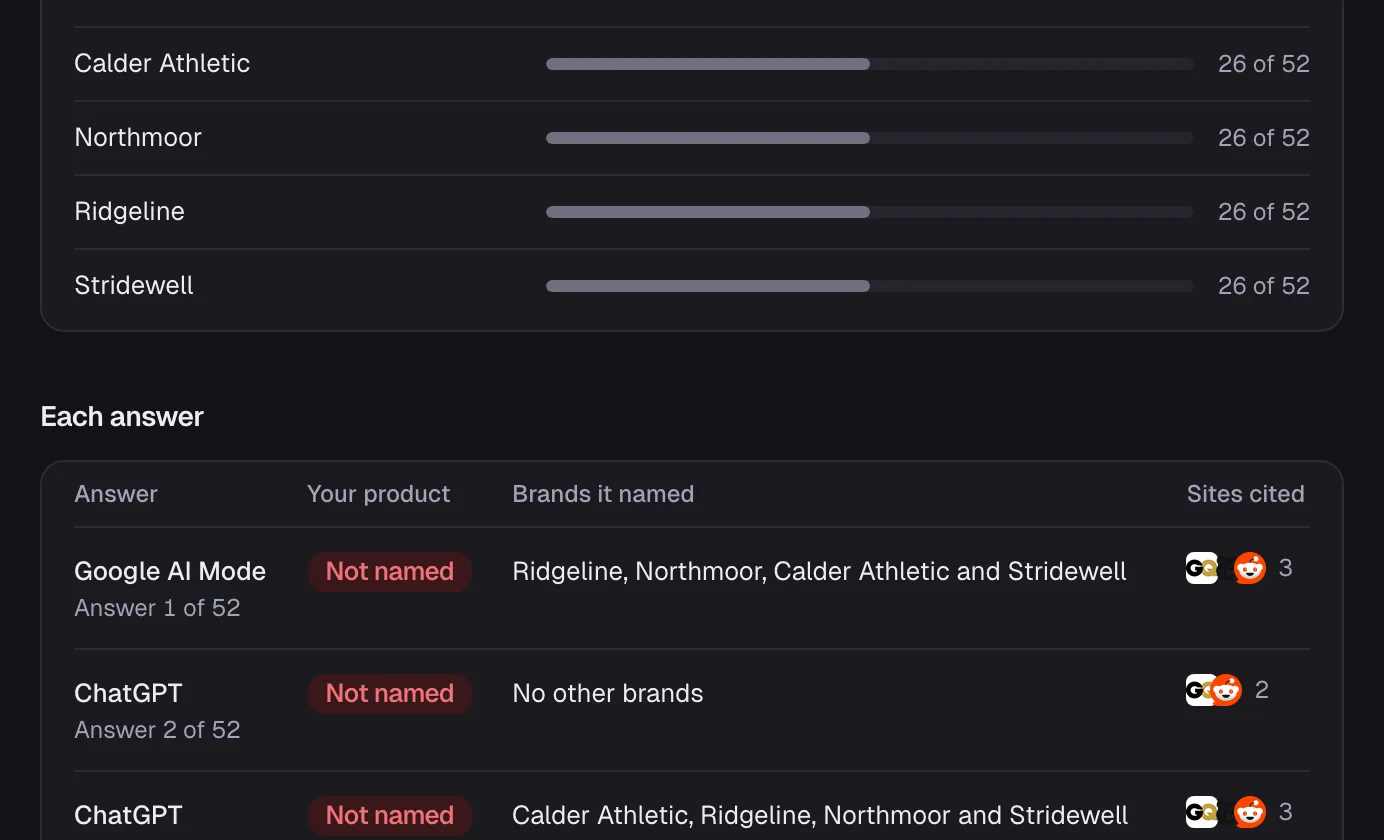
Every answer is one row: which engine gave it, whether your product was named, and which brands were. Open any row to read the answer a shopper would have read. Nothing is summarised away, so when a number looks wrong you can check it against the answer itself.


Look at: the Not mentioned rows. Each is an answer that left your product out. Where does each product stand this week?
Your catalog, product by product: how many answers showed each product in the last week, next to the listing signals that decide it. The products with the fewest answers and the weakest signals rise to the top of your list.
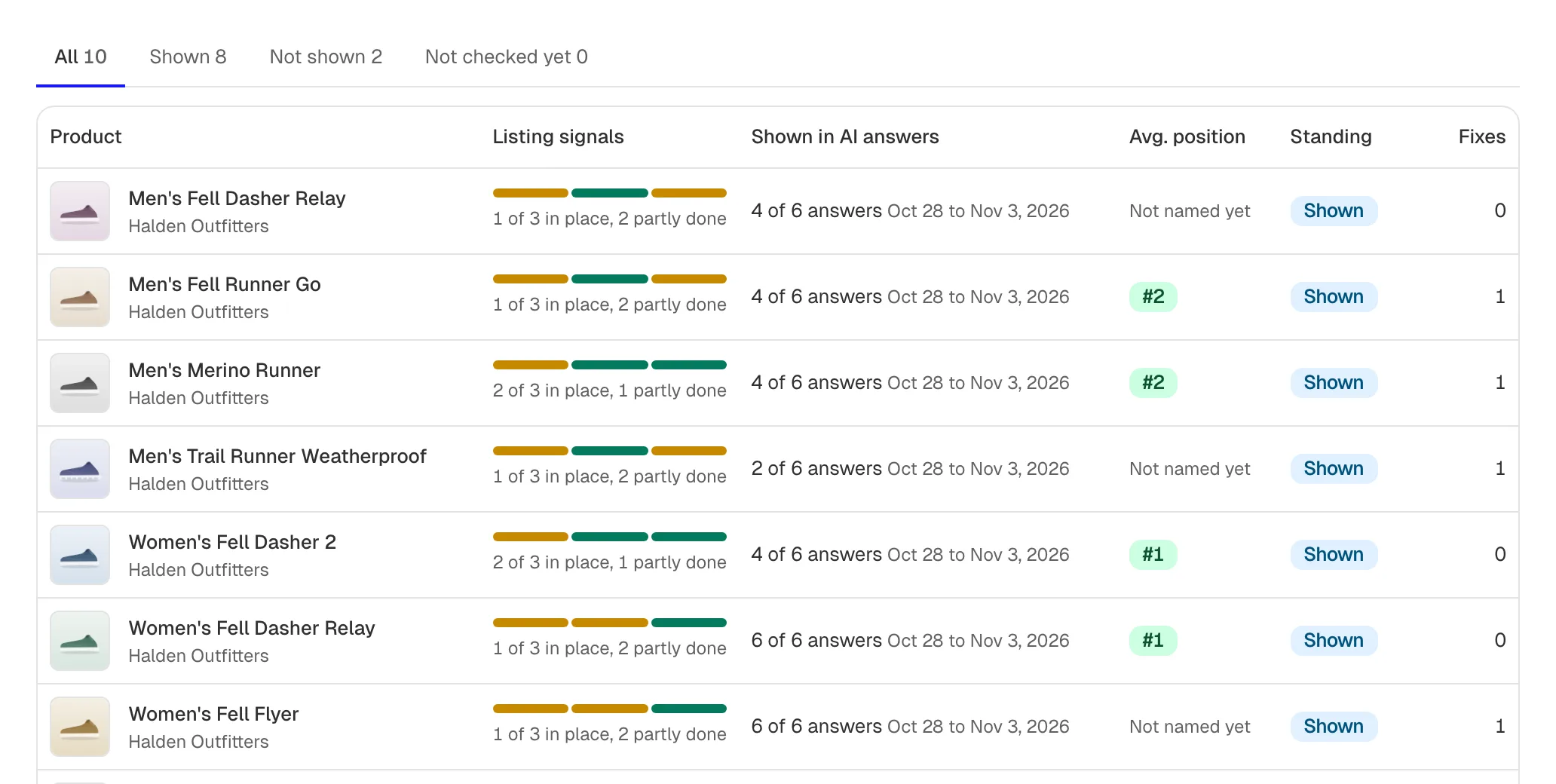
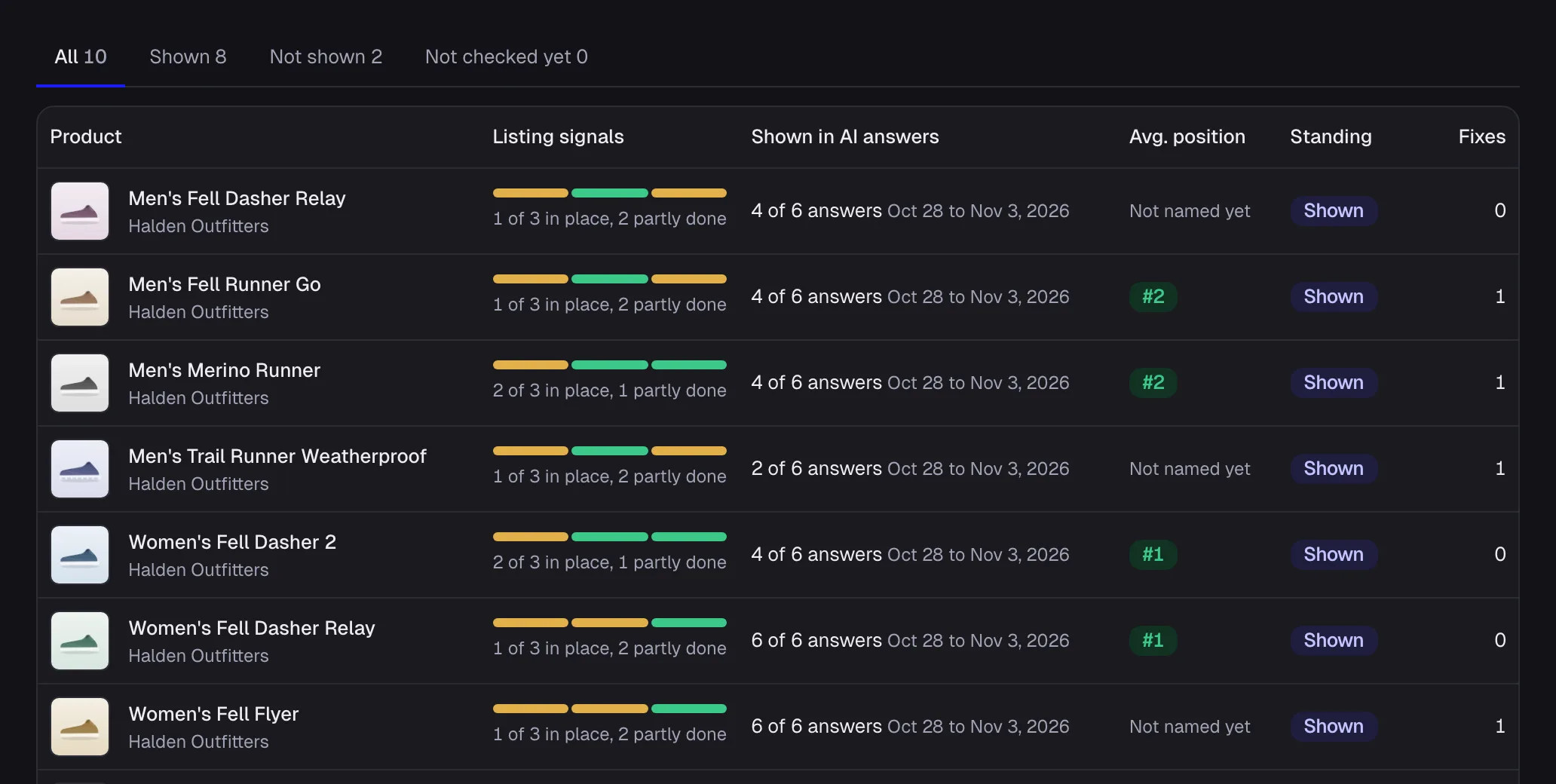
Look at: the answers column. It counts how many answers showed each product in the last week. What changed since yesterday?
Your dashboard opens on the last 24 hours: fixes proved, orders from AI assistants and alerts. The same summary can reach your inbox each morning, and your AI assistant can read it over MCP or the command line.
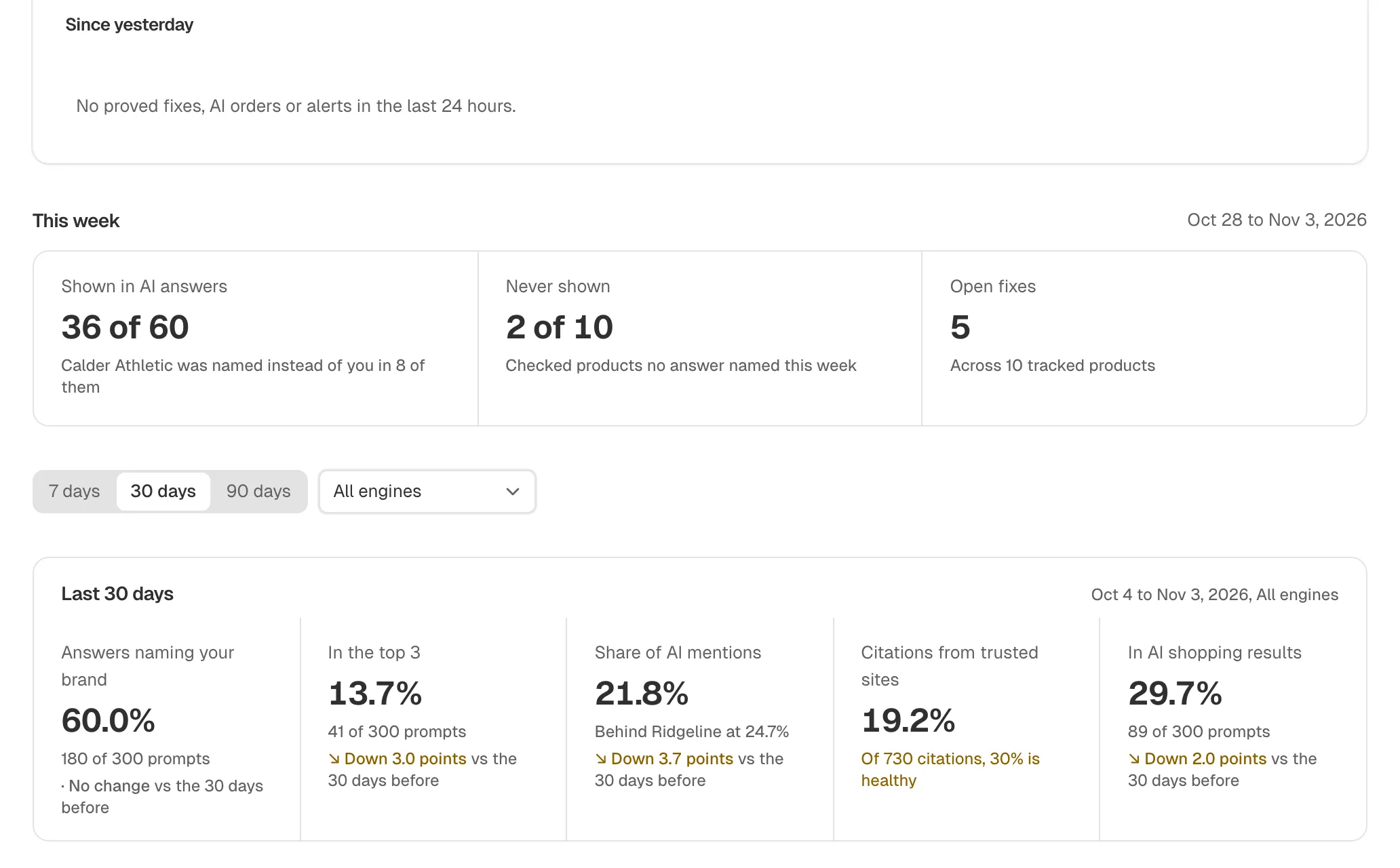
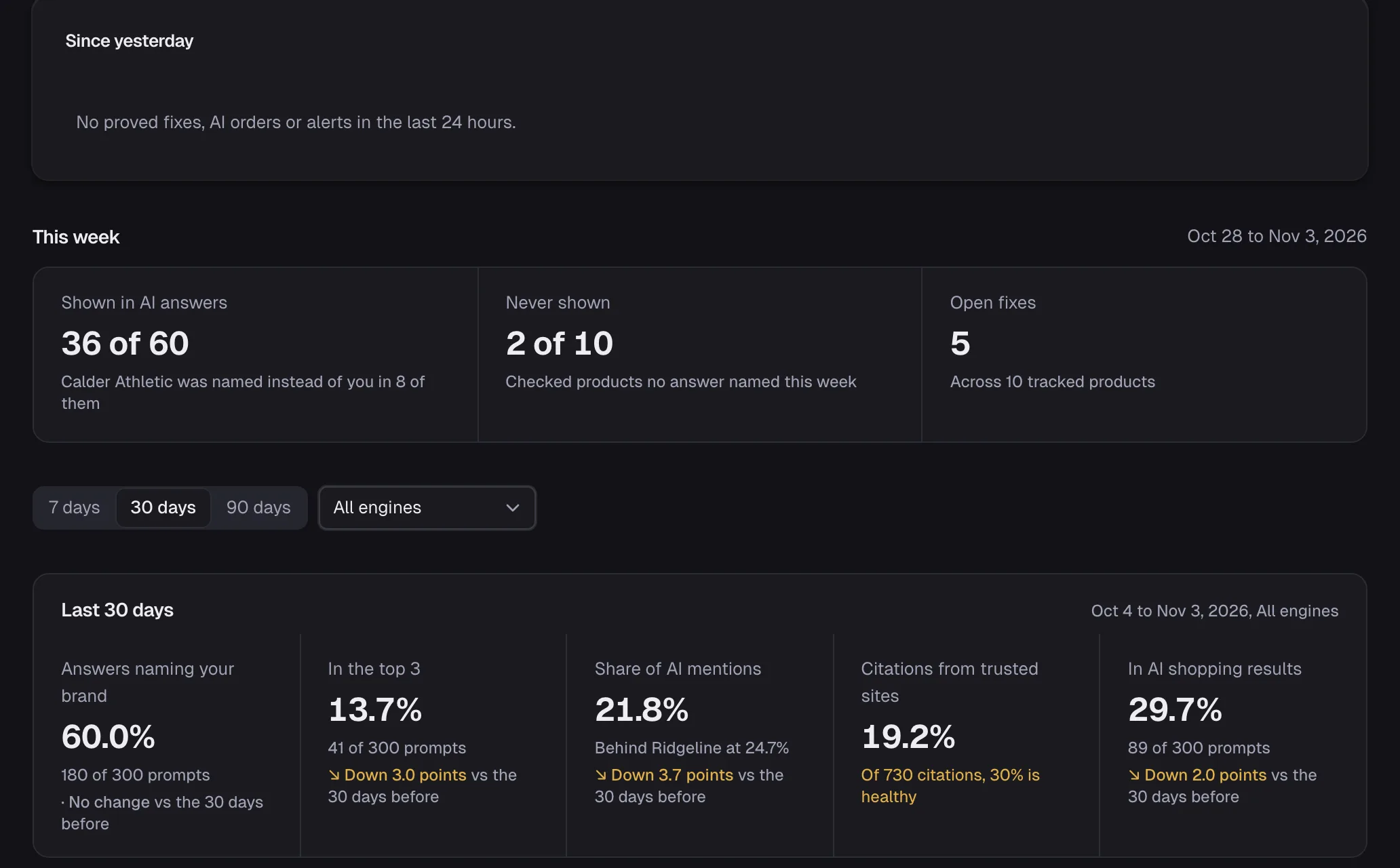
Look at: Since yesterday. It is what changed in the last 24 hours.
How it works.
So you can trust the number.
- Engines
- ChatGPT and Google AI Mode, asked the way a shopper asks
- Where questions come from
- Each product's own listing and the shoppers it suits, written as buyer questions across 9 stages of the buying journey. Not a keyword list.
- How often
- every month on Free, each question is asked again every month. On Starter and above, every week.
- What counts as named
- Your product or brand appears in the answer text. Where the answer is a list, we record the position.
- What you can check
- Every answer is stored and readable, row by row. You can see every question and change it.
- Free plan
- ChatGPT only, 10 products, 3 questions each
Four steps, in order
Step 1
Monitor
Which products AI recommends, and who it names instead
You are here
Step 2
Audit
What AI cannot read on each product page
Next step: AuditStep 3
Optimize
The exact change, ready to copy or apply
Next step: OptimizeStep 4
Verify
The same questions asked again after a fix
Next step: Verify
Ask your AI assistant instead
The same answers over the MCP server and the command line, on every plan, Free included.
Questions merchants ask
about Monitor.
See where your store stands.
Free scan, no account, in seconds.
Free scan, no account.