Product Feed Compliance for AI Shopping: The Eligibility Checklist
AI shopping surfaces only recommend products whose feeds pass spec. The field-by-field eligibility checklist: identifiers, price, variants, and policy data.

Your product feed uploads without an error. It passes your own validation. Then a shopper asks ChatGPT or Google's AI assistant what to buy, and your products aren't in the answer. The feed works. It just isn't compliant.
Product feed compliance for AI shopping means your catalog meets the field, format, and freshness rules that ChatGPT, Google, and other AI surfaces require before a product can be recommended. It's a pass/fail gate on data quality: identifiers, price accuracy, availability, variants, and policy fields. It sets eligibility, not ranking.
TL;DR: AI shopping surfaces pull from structured product feeds, and each publishes a spec: required fields, allowed value formats, delivery rules. Miss a required attribute, use an unrecognized availability value, or let the feed price drift from the product page, and the affected SKUs are held back. Compliance is eligibility, not selection. This guide walks the six field groups that decide it and the rules that fail most often.Key Takeaways
The field names, value lists, and limits below are current with the OpenAI ACP product feed spec as of September 2026. It is revised often, so re-check the live spec before you build against it.
- The OpenAI Agentic Commerce Protocol product feed spec defines nine required fields:
item_id,title,description,url,brand,seller_name,image_url,availability, andprice. A row missing one is rejected (OpenAI ACP product feed spec, 2026). availabilityaccepts exactly five values:in_stock,out_of_stock,pre_order,backorder,unknown. Any other string drops that row (OpenAI ACP product feed spec, 2026).- The feed carries
priceas a decimal string in major units with a currency code (79.99 USD), and it must match the live product page. Integer minor units (7999) belong to the separate checkout API (OpenAI ACP product feed spec; OpenAI Agentic Checkout spec, 2026). - Omit a manufacturer-assigned GTIN, or set
identifier_existsto false when an identifier exists, and Google issues a warning and limits that product's visibility (Google Merchant Center Help, 2026). - Two flags gate visibility:
is_eligible_searchdefaults to true;is_eligible_checkoutdefaults to false and needs both the flag and a live checkout integration. A product dropped from a snapshot can stay live for a while, so set its search flag tofalseto pull it now (OpenAI ACP product feed spec, 2026).
In this article:
- What does "product feed compliance" mean for AI shopping?
- Step 1: Fix the product identity block
- Step 2: Make price and availability accurate and correctly formatted
- Step 3: Give every buyable variant its own row
- Step 4: Add the fulfillment and policy data agentic checkout needs
- Step 5: Meet the file format and validation rules
- Step 6: Set the eligibility flags and keep the feed current
- Why one missing field pulls SKUs out of the running
- The Eligibility Checklist
- Frequently asked questions
- Clear the Gate First
What does "product feed compliance" mean for AI shopping?
It means your feed meets a published specification, the required fields, the allowed value formats, and the delivery rules, so that AI shopping surfaces treat your products as eligible to recommend. Two terms do the work here. Eligibility means your data passes the spec, so the surface can consider the item. Selection means the model chooses it for a specific query, on relevance, attributes, price fit, and reviews. This post covers eligibility. For selection, see why products that pass spec still don't appear in ChatGPT Shopping. Feed compliance is only one of seven eligibility gates, see the full diagnostic guide to why products don't show up in AI shopping to check crawler access, schema, entity consistency, and reviews too.
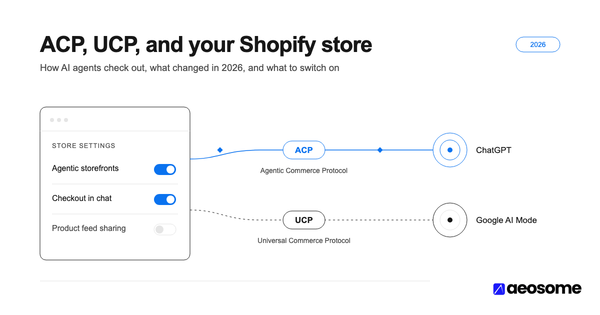
Agentic commerce is shopping where an AI agent, not the person, does the browsing and sometimes the checkout. It runs on two protocols: ACP, the Agentic Commerce Protocol from OpenAI and Stripe, feeds ChatGPT Shopping; UCP, the Universal Commerce Protocol from Google and Shopify, feeds Google's AI shopping surfaces. AEO (Answer Engine Optimization) and GEO (Generative Engine Optimization) are the broader practice of getting cited in AI answers; feed compliance is the commerce floor beneath it. Feed eligibility is the part that didn't change in the retreat. Read what actually changed at the ChatGPT buy button for the full picture.
Each surface publishes its own spec and revises it often, but the core overlaps heavily: identifiers, title, description, image, price, availability, brand, and category, all at the variant level. Build once to the strictest published spec and you satisfy most surfaces at once.
AI shopping surfaces read a structured product feed against a published spec. A feed that uploads without an error can still fail that spec, and the failing rows are held back silently, not flagged in your store admin (OpenAI Agentic Commerce Protocol product feed spec, 2026; Google Merchant Center Help, 2026).
Step 1: Fix the product identity block
Every row needs a stable unique ID, a real brand name, and a manufacturer identifier wherever one exists. Identifiers are how an AI surface matches your offer to a product it already knows.
item_id is required, unique per variant, and stable over time. Store it as a string so leading zeros survive, with no stray spaces; change it and the surface treats the row as a brand-new product with no history. brand is required too, and it has to be the real brand, not your store name or a placeholder.
gtin and mpn are listed as optional but recommended in the ACP feed spec. Treat them as near-required. A valid GTIN is 8, 12, 13, or 14 digits with a correct check digit, the format GS1 defines and both Google and the ACP feed enforce; anything else is rejected (GS1 GTIN standard; Google Merchant Center Help, 2026).
Google is stricter about an identifier you already have. Omit a manufacturer-assigned GTIN, or set identifier_exists to false when a GTIN, MPN, or brand exists, and Google issues a warning and limits visibility. An incorrect or reused GTIN is worse: the offer gets disapproved. Set identifier_exists to false only for genuinely unbranded, identifier-less products such as handmade goods (Google Merchant Center Help, 2026).
For the on-page side of the same work, see how GTINs work in Product structured data.
Step 2: Make price and availability accurate and correctly formatted
Two fields decide this step: price and availability. Both have to be in the exact formats the spec accepts, and both have to match what a shopper sees on the product page right now. Feed-to-page drift is one of the fastest ways to get an offer disapproved, and Google's Merchant Center runs the same check against your landing page (Google Merchant Center Help, 2026).
price in the feed is a decimal string in major currency units plus an ISO 4217 code: 79.99 USD. Decimal point only, no thousands separators. sale_price, if set, has to be above zero, below price, and in the same currency, or the row is rejected. One common mix-up: the checkout API represents money as integer minor units (7999 for $79.99); the feed does not (OpenAI ACP product feed spec; OpenAI Agentic Checkout spec, 2026).
availability has to be one of exactly five values: in_stock, out_of_stock, pre_order, backorder, or unknown. Anything else, available, yes, 2, or an empty cell, drops the row. And if the feed says in_stock while the product page says sold out, the surface has reason to trust neither value (OpenAI ACP product feed spec, 2026).
Thepriceandavailabilityin your feed have to match the product page. Mismatched or stale values are a common disapproval cause (OpenAI Agentic Commerce Protocol product feed spec, 2026; Google Merchant Center Help, 2026).
Step 3: Give every buyable variant its own row
The unit of work in this step is the row: one per purchasable variant, not one per product. AI shopping selection happens at the variant level, and a product-level row cannot answer "red, size 8, in stock." A variant (or SKU) is one buyable configuration: this color, this size, this pack count. SKU-level visibility is whether an AI surface can find and recommend that exact configuration.
In the ACP feed, variants share a group_id (the older item_group_id still works), and listing_has_variations plus variant_dict describe the axes that differ. Each variant is its own row with its own item_id, carrying its own color, size, material, price, availability, image_url, and gtin wherever those differ (OpenAI ACP product feed spec, 2026).
The failure to watch for: a feed that passes validation because the product-level row is complete, while every variant shares one image and one availability value. The surface never sees a distinct in-stock variant to return, so the product quietly under-performs even though nothing is technically broken. For how a surface picks one variant once several are eligible, see how ChatGPT Shopping selects a specific product.
Step 4: Add the fulfillment and policy data agentic checkout needs
Agentic checkout needs one more layer: shipping and returns data in the feed, plus a UCP profile on your domain for Google's surfaces. Search eligibility needs core product data; checkout eligibility needs this on top.
There are two eligibility tiers. Search eligibility lets a product appear in AI shopping results. Checkout eligibility lets a shopper buy it inside the chat, and it needs shipping price and options, a return policy, a return window, and accepted-returns status in the feed. Miss those and you're capped at "discoverable but not buyable."
On Google's side, UCP also expects a machine-readable profile at /.well-known/ucp on your domain, declaring your catalog and checkout endpoints and the capabilities you support (namespaced dev.ucp.shopping.*). The spec is still marked draft, so re-check it before you build (Google and Shopify Universal Commerce Protocol documentation, 2026).
Get search eligibility fully clean before turning on checkout, which also needs a live integration, not just the flag. Feed eligibility is separate from crawler access; crawler access versus feed eligibility explains why blocking GPTBot doesn't remove you from ChatGPT Shopping.
Step 5: Meet the file format and validation rules
This step is about the container, not the contents. The ACP feed accepts JSONL, CSV, and TSV, plain or gzip-compressed (jsonl.gz, csv.gz, tsv.gz), and everything has to be UTF-8. Split a large catalog into shards rather than one giant file, keep the same filenames on every update so the platform overwrites in place, and validate a small sample before you push the whole catalog. Check the current spec for the exact per-file size and item caps; it is revised often (OpenAI ACP product feed spec, 2026).
Rows get rejected for concrete, checkable reasons: a required field empty, an unrecognized availability value, an invalid money format, a sale_price at or above price, an image or product URL that isn't publicly reachable, a GTIN with the wrong digit count or check digit, or placeholder text like null or n/a in a real field (OpenAI ACP product feed spec, 2026).
Two content fields have limits worth pre-checking. title should stay at or under 150 characters and description under 5,000, both plain text. The spec frames these as targets, not hard rejects, but long or all-caps titles and promotional copy tend to get trimmed or downranked. Keep the description factual; what 8,520 ChatGPT shopping queries reveal about product copy covers what belongs there.
ChatGPT feed onboarding currently runs through an application and approval step, and typically starts with a small test batch before you scale to the full catalog. Check the current OpenAI commerce documentation for the process and any batch-size guidance.
Step 6: Set the eligibility flags and keep the feed current
The work here is explicit flags on every row and a refresh process that keeps the feed honest. Compliance is a state you maintain, not a one-time upload.
Three flags matter. is_eligible_search defaults to true and keeps a product in AI shopping results. is_eligible_checkout defaults to false; turning it on needs the flag set plus a live checkout integration. is_ads_eligible defaults to false and stays separate from organic eligibility (OpenAI ACP product feed spec, 2026).
Brands suppress products by accident here. A feed template writes is_eligible_search=false for a status the store treats as "active but not featured." A bulk export leaves the flag blank in a format where blank doesn't inherit the default. Set the flag explicitly on every row and the ambiguity goes away.
On cadence: the common pattern is a full feed snapshot once a day by file upload to an OpenAI-provided endpoint, filenames overwritten in place, plus updates through the day. The feed accepts refreshes as often as roughly every 15 minutes, and price and stock changes can also flow through the checkout API between snapshots (OpenAI ACP product feed spec; OpenAI commerce documentation, 2026). One catch: a product you simply drop from a snapshot can stay live for a while afterward. To pull it now, set is_eligible_search to false rather than deleting the row.
Why one missing field pulls SKUs out of the running
Required-field validation is row-level and unforgiving. This is where feed work stops behaving like SEO. In search, a weak signal costs you a few positions on a gradient. In feed eligibility there is no gradient: a malformed gtin in 3% of rows isn't "97% fine," it's 3% of your catalog invisible, plus a feed-health signal that can hold the rest pending fixes. Compliance is a floor with a cliff.
The issues that cause most of it are not subtle once you look for them, they're just invisible from a store admin that reports the upload as successful. For where strong Google Shopping data still doesn't carry over, see why strong Google rankings don't transfer to AI recommendations.
The Eligibility Checklist
Run these against your own feed, top to bottom. The groups are ordered by how fast they block a SKU.
- Identity: stable string
item_idper variant · realbrand·gtinormpnwherever a manufacturer identifier exists ·identifier_existsfalse only for genuine no-identifier products - Price & availability:
priceasamount CURRENCYin major units, decimals only ·sale_priceabove zero and belowprice, same currency ·availabilityone ofin_stock/out_of_stock/pre_order/backorder/unknown· feed values match the live product page - Content & images:
titleat or under 150 characters, no all-caps ·descriptionfactual plain text, at or under 5,000 characters · primaryimage_urlon public HTTPS · variant-specific images where they differ - Variants: one row per buyable variant · shared
group_id· per-variantcolor/size/image_url/price/availability - Fulfillment & policy (checkout tier): shipping price and options · return policy, return window, accepted-returns status · UCP profile at
/.well-known/ucpwhere you target Google surfaces - Format & flags: plain or gzipped JSONL / CSV / TSV · UTF-8 · large catalogs sharded, filenames stable, size and item caps per the current spec ·
is_eligible_searchset explicitly ·is_eligible_checkoutonly after search is clean and a checkout integration is live · a small sample batch validated before the full push
Frequently asked questions
What fields are required in a ChatGPT product feed?
Nine: item_id, title, description, url, brand, seller_name, image_url, availability, and price. A row missing any of them, or using an availability value outside in_stock, out_of_stock, pre_order, backorder, and unknown, is rejected (OpenAI Agentic Commerce Protocol product feed spec, 2026).
Do I need a GTIN to appear in AI shopping?
If the manufacturer assigned one, effectively yes. Omitting an existing GTIN, or marking identifier_exists false when an identifier exists, gets you a warning and limited visibility on Google's surfaces; a wrong or reused GTIN gets the offer disapproved. Genuinely unbranded or handmade items with no identifier are exempt (Google Merchant Center Help, 2026).
How often does my product feed need to update for AI shopping?
A full feed snapshot once a day is the baseline, uploaded to an OpenAI-provided endpoint with filenames overwritten in place. Beyond that, the feed accepts refreshes as often as roughly every 15 minutes, and you can push price and stock updates through the checkout API between snapshots. A product dropped from a snapshot can stay live for a while unless you set is_eligible_search to false (OpenAI ACP product feed spec; OpenAI commerce documentation, 2026).
Why are my products disapproved or missing from AI shopping even though the feed uploaded?
Uploading isn't the same as passing spec. The usual causes are an empty required field, an availability value outside the allowed five, feed-to-page price drift, a mis-formatted price, a non-public image URL, or an invalid GTIN (OpenAI ACP product feed spec, 2026).
What's the difference between my feed being "eligible" and my product being recommended?
Eligibility means your data passes the spec, so the product can be considered. Recommendation is the model choosing it for a specific query. Compliance gets you into the pool; it doesn't win the pick.
Clear the Gate First
Three numbers hold this together. Nine required fields. Five allowed availability values. Two eligibility flags, one defaulting on, one defaulting off. Get those right, in the formats the spec names and matching your live product pages, and your catalog is eligible for the AI shelf.
Feed compliance isn't optimization. It's the gate you clear before optimization does anything. A malformed required field doesn't cost you positions, it removes the SKU from the pool.
AEOsome works with eCommerce brands on exactly this: finding which SKUs are eligible for AI shopping surfaces and which fields are holding the rest back. It's the same SKU-level work either way, keeping identifiers, prices, and variant rows aligned between your store and every feed, then keeping them that way. Clearing every feed check gets a SKU discovered, not necessarily purchasable. See how to make each SKU checkout-ready, SKU by SKU before you trust `is_eligible_checkout` in production.
About the author. Vijaya Kumar Channalli is the founder of AEOsome (Tartu, Estonia), which helps eCommerce brands get their products recommended when shoppers ask AI what to buy. He writes about AI shopping visibility, product-feed compliance, and how Answer Engine Optimization differs from SEO. More at vijay.cc. Read how we write, source and correct posts in our editorial policy.
Sources: OpenAI Agentic Commerce Protocol product feed spec and commerce documentation (developers.openai.com/commerce); OpenAI Agentic Checkout spec; Google Merchant Center Help, GTIN, identifier exists, and incorrect GTIN; GS1 GTIN standard (gs1.org); Google and Shopify Universal Commerce Protocol documentation (ucp.dev).